
1pm vs Studio Ninja: an honest comparison from a wedding photographer
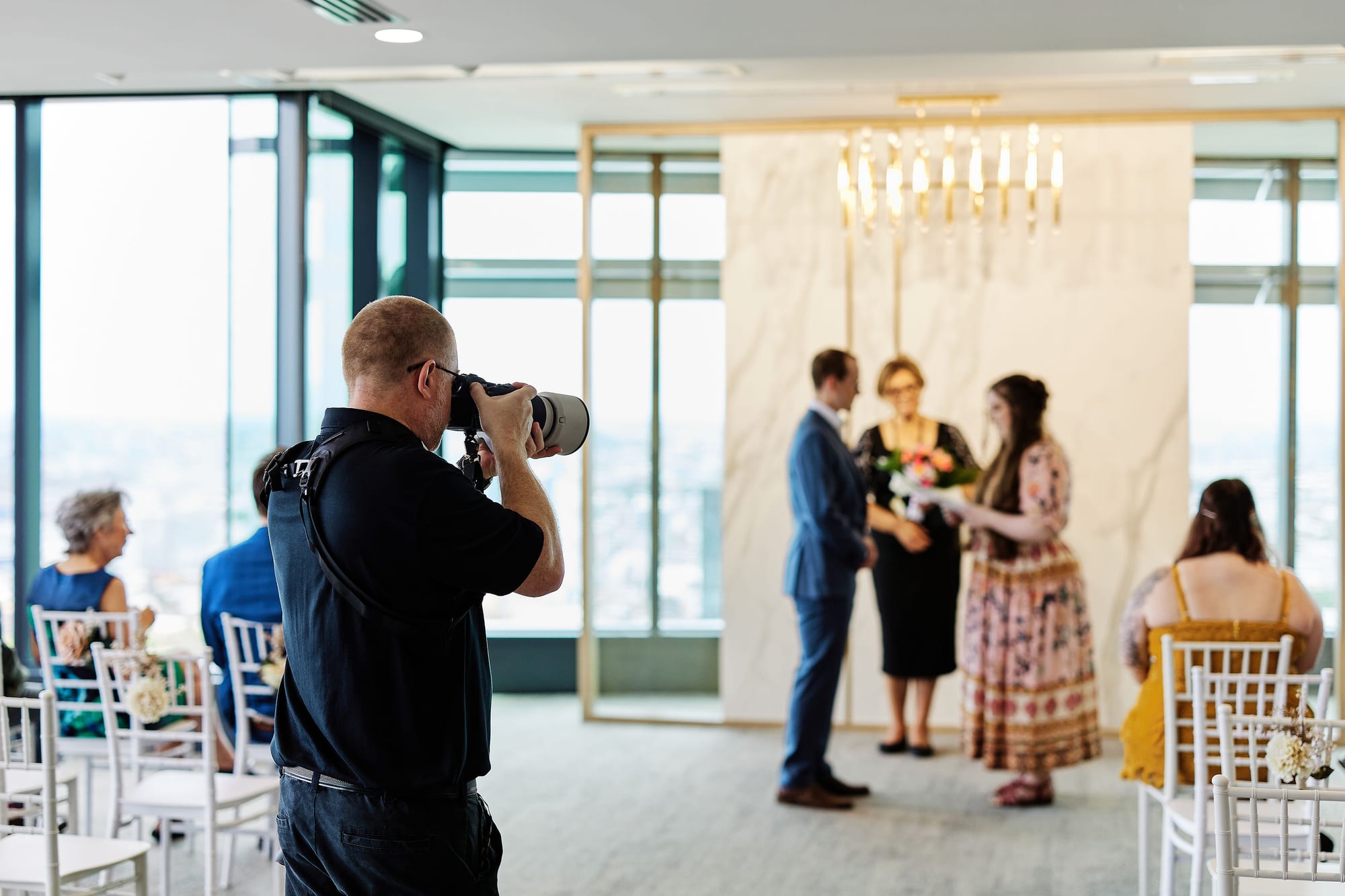
I shot weddings for ten years before I wrote a line of 1pm, and I still shoot them on weekends. So this is not a software reviewer comparing two products from the outside. I built 1pm, I have used Studio Ninja, and you should read everything below with that firmly in mind.
Here is my honest comparison of Studio Ninja vs 1pm.
The short (ish) version
Studio Ninja is photography studio management software. It was built by an Australian wedding photographer for photographers, and after ten years of that focus it does the photographer's business admin well: leads, quotes, contracts, questionnaires, invoices, payment reminders, workflows that fire the correct email on the right day, online booking for sessions, and a mobile app that is genuinely good.
1pm is an event booking CRM. It covers the same commercial ground (leads, quotes, terms, deposits, invoices, payments) and then does something Studio Ninja does not attempt at all: it runs the wedding day itself, through a live run of show that your couple, their planner, your second shooter, the videographer and the celebrant can open on their phones without an account.
Between those two ends, 1pm does more of the selling for you. The quote arrives inside a proposal page with your photos and reviews around it. Automations reply to a new lead once they have checked you are free on the date, and chase a quote the client has gone quiet on. And requests collect the family group photo list, the ceremony readings and anything else you need from the couple, then chase whatever has not come back.
That is the main difference in one sentence. Studio Ninja runs your photography studio. 1pm runs the bookings, from the first lead to the last dance, and then runs the day itself.
At a glance
A tick means the product ships something in that area, not that the two work identically.
| 1pm | Studio Ninja | |
|---|---|---|
| Winning the job | ||
| Contact form on your website | ✓ | ✓ |
| Leads in a threaded inbox | ✓ | ✓ |
| Lead board that moves each lead on as the client acts | ✓ | ✗ |
| Auto reply that checks your date and sends a priced quote | ✓ | ✗ |
| Quotes and packages | ✓ | ✓ |
| Client picks a package and adds extras on the quote | ✓ | ✓ |
| Client sets their own coverage hours within your limits | ✓ | ~ |
| Proposal page with your photos, gallery and reviews around the quote | ✓ | ✗ |
| See when the client opened the quote itself | ✓ | ~ |
| Contracts and signature | ✓ | ✓ |
| Online booking page for shoots and appointments | ✓ | ✓ |
| Checks your calendar before offering a slot | ✓ | ✓ |
| Client pays for the session when they book it | ✗ | ✓ |
| Chasing and automations | ||
| Workflows with emails and to-dos on a schedule | ✓ | ✓ |
| Chase an unpaid invoice | ✓ | ✓ |
| Chase a quote that hasn't been opened or accepted, or a contract that hasn't been signed | ✓ | ✗ |
| Drip sequences with timed waits between emails | ✓ | ✗ |
| Review queue before a scheduled client email sends | ✓ | ✗ |
| Automated emails to you, your team or any address | ✓ | ✗ |
| Different automations per contact form | ✓ | ~ |
| Automatically send a contract or questionnaire | ~ | ✓ |
| Getting what you need from the couple | ||
| Questionnaires | ✓ | ✓ |
| Ask for named files and see what is still outstanding | ✓ | ~ |
| Reminders for anything not yet sent, on by default | ✓ | ✗ |
| Collect files from a second shooter or supplier | ✓ | ✗ |
| The day itself | ||
| Run of show | ✓ | ✗ |
| Share the run of show with the couple and anyone else live | ✓ | ✗ |
| Private filtered link per second shooter, no login | ✓ | ✗ |
| Call times per person | ✓ | ✗ |
| Venue records with parking and access notes | ✓ | ✗ |
| Blocks you double-booking a venue | ✓ | ✗ |
| Money and admin | ||
| Invoices, deposits, payment schedules, reminders | ✓ | ✓ |
| Card payments via Stripe | ✓ | ✓ |
| Emails sent from your own domain | ✓ | ✓ |
| Xero sync | ✓ | ✓ |
| QuickBooks sync | ✗ | ✓ |
| Gmail integration | ✗ | ✓ |
| Gallery and album tools (Pic-Time, ShootProof, Fundy, ProSelect) | ✗ | ✓ |
| Native iOS and Android app | ✗ | ✓ |
| Reporting | ||
| Comprehensive reporting (30+ reports with CSV export) | ✓ | ~ |
Key: ✓ built in. ✗ not built. ~ partly built, or built a different way.
A few tildes need saying out loud. Studio Ninja's client portal has a Files area where the client can upload and download things, which covers the common case. What it does not do, going by their own help centre, is let you ask for a named document and then show you it is still missing. Its email tracking tells you the client opened the email and clicked through to the portal, which is close to knowing they read the quote, but not the same thing. And its quotes let a client change the quantity of a product, which can do the coverage hours job if you set your hours up as a product.
Where Studio Ninja is genuinely better
The mobile app. Studio Ninja has a real native app on both stores, now with push notifications, and photographers rate it highly. 1pm is a web app. It is built mobile-first, it installs to your home screen, and the crew views in particular are designed for a phone, but it is not in the App Store with a notification badge. If you run your business from your phone between shoots, that is a real difference and I am not going to talk you out of it.
It plugs into the rest of a photographer's stack. Pic-Time, ShootProof, Fundy, ProSelect. That is the gallery, the album design and the in-person sales half of the job, and 1pm connects to none of it, because it is built for event professionals in general rather than photographers alone.
QuickBooks. 1pm syncs one way to Xero and nothing else yet. Studio Ninja does both. If your accountant has you on QuickBooks, that single row may decide the whole thing, and fair enough.
Paid session bookings. Both products give you a booking page that checks your calendar before it offers a slot. Studio Ninja also takes the payment at the moment the client books, in full or as a deposit. If you sell a lot of mini sessions or headshot slots, that matters. 1pm's booking page is built for the consultation call and the venue walkthrough, which are free.
Ten years of photographer-shaped defaults. Sample contracts, questionnaires, workflows and packages written for photographers, ready on day one. 1pm's templates are written for event businesses in general, so a photographer does a bit more of their own setup. That being said, with AI tools able to quickly create content this is less of an issue than it used to be.
Two automation details done well. Studio Ninja's payment reminders are one setting: before the due date, on it, after it, and then every seven days until the invoice is paid. In 1pm each reminder rule fires once, so a repeating chase means setting up a few rules. Studio Ninja's workflow templates are also linked to your jobs, so editing the template updates every job using it.
Where 1pm is better
Nobody else runs the day. Every wedding I have shot has the same failure in it somewhere. The timeline is a document. You build it, you send it as a PDF, and then the ceremony starts fifteen minutes late and the document is wrong for the rest of the day. The planner has version three, the mother of the bride is quoting version one at you, and your second shooter is standing at the wrong end of the property because the first look moved and nobody told them.
In 1pm the run of show is live. There is one copy. You change it once and everyone is looking at the change, because there is no copy to resend. Each crew member (second shooter, videographer, assistant, hair and makeup if you want them on it) gets their own link, filtered to only their items, with their call time at the top. No account, no password, no app to install. It caches on their phone, so when the reception venue's wifi folds at 7pm the timeline is still there. The couple get the same live timeline on their portal, next to their quote and invoices.
Studio Ninja gives an extra user the whole account, with no way to limit what they see. That is fine for a business partner, and not what you want for a second shooter you have booked for one Saturday.
Replying before anyone else does. Wedding leads go to two or three photographers at once, and the first real reply gets to frame the decision. 1pm's auto reply is not an acknowledgment. It checks whether you are already booked that date, builds a quote from your packages, attaches your usual pricing guide and sends it while you are in the middle of a portrait session.
A proposal, not a price list. Studio Ninja's Pick & Choose quote is good: the client chooses a package and adds extras. But it is a list of names, descriptions and prices, and it reads like one. In 1pm the quote sits inside a proposal page you design once and reuse: a gallery of your work, a couple of reviews, a note about you, and the quote in the middle with its Accept button. Each package and extra can carry its own photo, so the album the couple are deciding on is the album they can see. They can move their coverage from six hours to eight, tick the second shooter, and watch the total change before they accept. Coverage can also be split into sessions with their own start times (getting ready at 10am, ceremony at 2pm), and the quote adds up the total hours for them.
Because it is a page rather than a PDF, it is never out of date. Fix a typo or swap a photo in the proposal template and every open quote using it is right straight away.
Automations that notice what hasn't happened. This is the widest gap between the two. A Studio Ninja workflow is a list of tasks with due dates: send this email a week before the shoot, tick this to-do four days after the job is accepted. It does that well. What it cannot do is watch for the thing that didn't happen, and that is where photography bookings quietly die. The quote goes out, and then nothing.
In 1pm you can say: four days after the quote, if they haven't opened it, ask whether it landed. A week after, if they opened it but haven't accepted, follow up. If they accepted but haven't signed, ask for the signature. If they signed but the deposit hasn't arrived, ask for the deposit. Each chase stops the moment they take the step, and nobody you have marked lost gets chased at all.
That is five of the more than twenty triggers a photographer will actually use (1pm has well over thirty, though about a dozen are for onboarding crew and suppliers). The rest cover every step from a new lead arriving to a payment landing: quotes about to expire, invoices and scheduled payments falling due, appointments booked or cancelled, and the days before and after the wedding. You can stack actions under one trigger, with waits in between, so a single rule becomes a sequence: email now, wait three days, email again. You can also send an alert to yourself, your second shooter's address or anyone else, create a task list for the job, and give each contact form its own set of automations so a wedding lead and a family session lead get different emails.
Two safety nets matter more than they sound. Client emails scheduled around the wedding date wait 24 hours in a review queue, so you can catch the one that would have gone to the wrong couple. And before you switch a rule on, 1pm shows you exactly which bookings it will fire for over the next 30 days, and why it skips the others.
To be fair to Studio Ninja, it can send a contract or a questionnaire as its own workflow step. 1pm sends the agreement with the quote or confirmation, and requests go out as a link inside an automated email, which gets you to the same place by a different route.
A pipeline that keeps itself. Studio Ninja has three stages: lead, job and post-production, and it moves a lead to a job for you when the client accepts, signs or pays. 1pm's lead board has a column for each step of the sale: to quote, quote sent, quote opened, date held, waiting on the signature, waiting on the deposit. Every lead sits in the column for the furthest step the client has actually taken, so you never drag a card, and each card shows how long it has been sitting there. On a Monday morning you can see the three couples who opened the quote last week and went quiet, which is exactly the list you want.
Requests, not just questionnaires. 1pm has Requests: a list of named items you send to someone, each one either a question or a file. The couple's ceremony readings, the venue's floor plan, the videographer's certificate of currency, the shot list the mother of the bride keeps promising. You can see at a glance what has come back and what has not, and you can send the same requests pack to every job instead of writing the email again. Anything outstanding gets a reminder a week later and another a week after that, without you setting anything up. A questionnaire gets you the answers. It does not get you the PDF, and it does not chase the person who has not sent it. Requests do the questionnaire job too: mark the couple's questions as client only so your second shooter never sees them, and have answers such as their preferred names land straight on their contact record. Here is how to set up a client questionnaire in 1pm.
Venues as records. Every venue you shoot is a Space in 1pm, with its address, parking, access notes and who to call. The second time you shoot there it is already filled in. Photographers keep this in their head or in a notes app, and it belongs in the software.
Email: two different approaches
Both products email your clients and keep the replies on the job. The difference is in how they catch those replies, and it shows up in four practical ways: what works on day one, how you get your own address on the emails, what the software gets to see, and where the emails end up.
What works on day one. In 1pm, nothing needs connecting. Every email goes out with a reply address that belongs to that lead, so when the client hits Reply, their answer lands in the lead's thread. Each email also shows whether it was delivered, opened or bounced. All of that works the minute you sign up.
Studio Ninja works the same way out of the box, but only while you send from its servers. Most photographers want their own address on client emails, so they connect Gmail or their own mail server. From then on, catching replies is your job to set up: Studio Ninja's help centre asks you to turn on forwarding in your mail account so a copy of your incoming mail goes to a Studio Ninja address. Skip that and a reply is only caught if the client keeps Studio Ninja's address on the thread. Forwarding also isn't available everywhere. Their help centre lists desktop apps like Outlook and Apple Mail, and providers like AOL, as not supporting it.
Your own address. In 1pm, sending from [email protected] is optional, and it's about ten minutes of work, once. You add three or four DNS records wherever your domain is managed (GoDaddy, Squarespace, Cloudflare and so on). 1pm shows each record with a Copy button, looks up your DNS and tells you which records it can already see, and if your web person looks after the domain, it emails them the records with instructions. Most DNS hosts pick up new records within a few minutes. Until your domain is verified, emails keep going out from the 1pm address, so nothing stops while you wait. Your existing email carries on untouched: the records sit alongside your Google Workspace or Microsoft 365 setup rather than replacing it. Once it's verified, everything 1pm sends your clients (lead replies, quotes, invoices, automated emails) comes from your address, and replies still land on the lead.
What the software sees. 1pm never connects to your mailbox. It sees the emails it sends and the replies to them, and nothing else. Your bank, your accountant, your family and the rest of your inbox never pass through it. To be fair to Studio Ninja, it says it only keeps emails that relate to a client, lead or job. But its recommended forwarding sends a copy of all your incoming mail to Studio Ninja, which then filters out everything else. For a lot of people that distinction matters: less of your inbox leaves your mail account, there's less to worry about if anything is ever breached, and there's less for your IT person to sign off on.
Where the emails end up. With Gmail connected, Studio Ninja's emails sit in your Gmail Sent folder too, and you can reply from either place. 1pm keeps them in 1pm, threaded on the lead. You can still answer from your phone's mail app by replying to 1pm's notification of a new message, and 1pm sends it on from the lead.
In short:
| 1pm | Studio Ninja with Gmail | |
|---|---|---|
| Client replies land on the job | From day one, nothing to set up | After you set up forwarding in Gmail |
| Delivered, opened and bounced tracking | From day one | Yes |
| Emails from your own address | Optional, about ten minutes of DNS records | By connecting Gmail |
| Access to your inbox | None | A copy of your incoming mail, filtered to client emails |
| Copies of client emails in your Sent folder | No | Yes |
If you want to live in your inbox, Studio Ninja with Gmail fits that better. If you'd rather your inbox stayed out of it, 1pm does.
Price
1pm is $20 a month with unlimited jobs, and each extra user is a flat $4. Studio Ninja's $16 Starter plan caps you at five active jobs, which is not a wedding photographer's year, so the honest comparison is their $27 Pro plan, which includes three users. On your own, 1pm is cheaper. With a business partner and an assistant both logging in, the two cost the same. Your second shooter does not need a login in 1pm at all, because the crew link covers them. It is a small gap either way, and it is not the reason to choose either one.
A quick note about words
I say run of show throughout. If you are in the UK, Australia or New Zealand you probably say run sheet, and if you came up through venues you might call it the function sheet. Same document, same job. You can rename it inside your 1pm account so the software uses your word instead of mine.
Closing
Prices and features above were accurate when this was written. Check both before you commit, because software moves quickly.
Chris Founder, 1pm.app