
The event booking CRM for caterers.
You cook for events in kitchens you have never seen. 1pm costs the menu before you quote it, keeps the per-head price in step with the guest count, chases the final numbers and dietaries, and gives your kitchen and floor team one live timeline for the day.
Hospitality plan, from $40/month. 30-day free trial. No credit card.
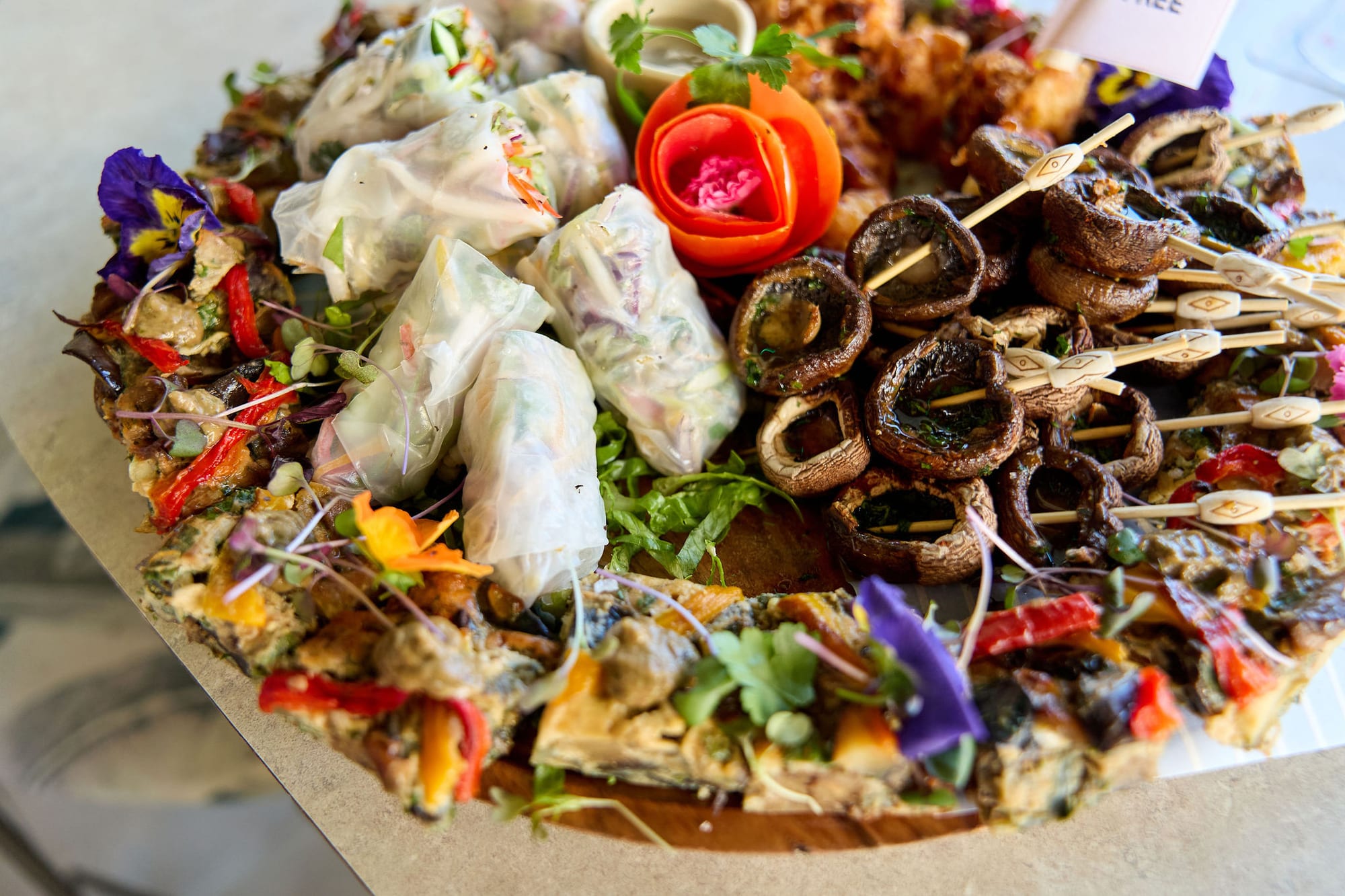
Built for a kitchen on the move
A caterer sells the food and brings the kitchen with it. The job is won on a menu and a per-head price, and the margin is decided long before the day, by what each plate costs and how many plates the client finally pays for.
Then the numbers keep moving. The guest count changes twice, the dietaries arrive in a text message, and the venue's kitchen door, oven and loading bay are different every week. The head chef needs the final numbers, the floor team needs the service times, and the venue needs to know when you will be packed down and out.
1pm's Hospitality plan puts your menus, your recipe costing and the BEO on the same booking as the lead, the quote and the invoice, so the number the client agreed to is the number the kitchen preps to.
Built for wedding caterers, corporate caterers, event and function caterers, grazing and canapé specialists, and pop-up kitchens.
Win the job
A couple asking about food for 120 has usually asked two other caterers as well. The one who replies first, with a menu they can read and a tasting they can book, is the one they meet.
Leads arrive with the date and the numbers
Put a lead form on your website and every lead lands in your Leads inbox with the date, the guest count and the client's message already filled in. One click turns it into a booking.
Help: Capturing leads with a formYour menus on your website
Publish a set menu or a canapé list as a page your website can link to. Change a dish or a price in 1pm and the page shows it straight away, with no PDF to upload again.
Help: Publishing a menu or price list onlineTastings the client books
Publish a booking page with the times you run tastings, and clients pick a slot. They get a confirmation and a reminder, each with a link to reschedule or cancel.
Help: Appointments and the booking pageChase the lead that goes quiet
Put a follow-up date on a lead and say what the chase is for. It turns up on your Follow-ups list on that day, next to every lead that has gone quiet with nothing planned.
Help: Following up on leadsQuote per head, then lock in the numbers
The guest count moves until the week of the event. Your quote, your deposit and your kitchen all need to move with it, without you retyping anything.
Per-head lines that follow the guest count
Mark a line per head and its quantity follows the booking's guest count, or the guaranteed number once you set one. Change the pax and the canapés, the mains and the drinks package all rebill together.
Help: Pricing an eventOne quote for 60 to 90 guests
Let the client move the guest count inside the range you set, and tick optional extras like a late supper on or off. Give the grazing table or the dessert station a photo, and the client sees it beside the line. The number they accept lands on the booking as pax guaranteed.
Help: Letting a client adjust a quoteA deposit that holds the date
Ask for a deposit on the client confirmation, as a percentage or a fixed amount with a due date. The client signs online, and 1pm tracks the deposit and the balance until both are paid.
Help: Deposits and balancesFinal numbers without the chasing
Set an automation to email the client 14 days out for final numbers and dietaries. A second rule can create your ordering and prep checklist and email the date and guest count to your head chef.
Help: AutomationsBrief the kitchen for a venue you do not control
Every venue has a different kitchen door, a different oven and a different time the gate gets locked. Write it down once, and every job there carries it.
A BEO your kitchen and floor both read
Service style, pax guaranteed, the attached menu, bar package and dietaries, all on the booking. Print it for the kitchen, or let each member of your team read it on their own link.
Help: The BEO or function sheetDietary totals, and who needs what
Turn on dietary collection and each guest picks their requirements from your list. The BEO adds them up. Turn on the full kitchen BEO for your head chef, and their printout lists each guest who needs something, by table and seat.
Help: Collecting dietary requirementsEach venue saved once
Save a venue as a Space with its address, the kitchen door, where the van unloads, the venue contact and a floor plan. The next job there picks all of it up.
Help: Spaces: saving and reusing venuesThe load-in window on every link
Set access from and vacate by on the booking, and your team sees when they can get in and when the kitchen must be packed down and out, on the same link as the run of show.
Help: Access From and Vacate ByRun the service to the minute
The kitchen and the floor work to one timeline, from loading the van to packing it again. Everyone reads it on their phone, and it keeps up when the plan changes.
A live run of show for your team
Share the timeline with your chefs, your floor staff, the venue and the planner, with no login. Each person sees the items that are theirs, and when a time moves, every open link updates within seconds.
Help: Sharing the live linkHold dessert when the speeches run long
When the speeches run 20 minutes over, 1pm flags the clash with the next item. One tap pushes dessert, or every item after it, and the kitchen's link shows the new times.
Help: Pushing the timeline when an item runs overStill works when the marquee has no signal
Open the link once on Wi-Fi before the job and the run of show still loads on the day without a connection. Items marked done offline catch up when the signal comes back.
Help: Working offline at the venueFood safety certificates kept current
Ask your staff for their food safety certificates through their own link, with an expiry date required. 1pm lists the ones running out, so you can ask for a new one before it lapses.
Help: Chasing expiring documentsGet paid, and see what the food earned
The invoice comes off the same booking the kitchen cooked from, so the guest count on the bill is the one on the BEO.
Card payments and bank transfers
Take card payments through your own Stripe account with no platform fee, or record a bank transfer yourself. The invoice tracks what is paid and marks itself paid when the balance is settled.
Help: Getting paidYour service charge, on every bill
Set your standard service charge once, as a percentage or a fixed amount, and it fills in on every new document. Leave it off a line, such as equipment hire. Gratuities stay separate and are never taxed.
Help: Service charges and gratuitiesThe same Saturday wedding, set up in a minute
Save a job you run often as a template: the run of show, your regular staff on each item, the headcount and the BEO details. The next one starts from it, and you set the date and the client.
Help: Event templatesCovers, dietaries and margin in reports
The Catering and covers report shows covers served, your plated, cocktail and buffet mix, and dietary totals across jobs. Menu food cost and margin flags any menu above your target.
Help: ReportsEverything on this page is on Hospitality
$40 a month, or $384 a year. Each extra user is $4 a month.
Also host events in a room of your own? The venues page covers the diary and the rooms, on the same plan. Cooking on your own in clients' homes? See private chefs. Serving from a truck? See food trucks.
Questions from caterers
Both. 1pm is catering software with the catering CRM built in: leads, per-head quotes, deposits and invoices on the sales side, and menus, recipe and plate costing, final numbers, dietaries and the run of show on the kitchen side. It does not do inventory, purchasing or delivery routing.
No. A booking does not need a Space. Save the venues you go back to, so the kitchen door, the unloading notes and the floor plan come with you, and leave the one-off jobs without one.
No. Plate cost, food cost and margin only show in your menu builder and your kitchen reports. They never appear on a quote, a confirmation, a printed or published menu, or anyone's link.
No. Each of them opens the run of show from a private link with no login. Regulars can bookmark it, one link that lists every job you have put them on.
Yes. Add them to the booking and they get their own link with the run of show, so they see when canapés go out and when you need the room cleared, and they see new times as soon as you change them.
Either page fits, because both are on Hospitality. The venues page covers the parts you would use for your own room: the diary, double-booking protection and room reports.
Yes. Share your account with the people who work with you, and each extra user is $4 a month. They get the same menus and costing tools as you.
Yes. Import bookings from a calendar (.ics) file and choose the status they arrive as. Leads you are still working can come in from a CSV file, which sends no emails and starts no automations.
Yes. Help with questions and problems is free on every plan. If you want the setup done with you, expert help is paid one-to-one time on a video call: with your permission we sign into your account and build your menus, ingredients, recipes and quotes alongside you, then train your events team and your chef. It comes in blocks of 1, 3 or 6 hours, from $125 an hour.
Yes, 30 days with every feature, and no credit card.
Every feature, for every kind of business, is on the features page.
Cost the menu. Feed the room.
30-day free trial. No credit card.