
How celebrants can automate their booking process using 1pm
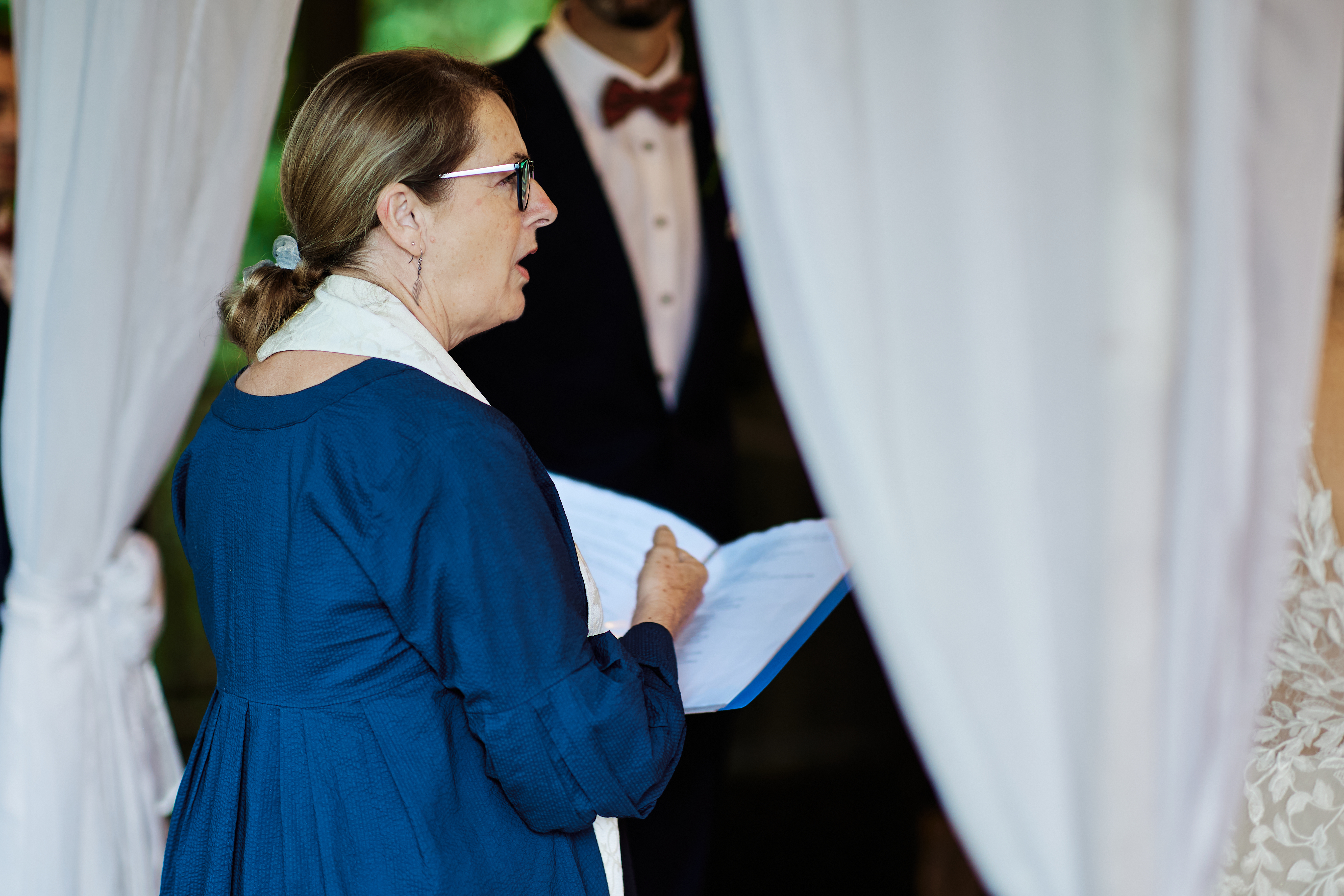
It is 3:40 on a Saturday afternoon and you are officiating a ceremony holding a blue plastic folder in your favorite matching blue dress, waiting for a groom who has suddenly gone quiet halfway through his vows.
In your back pocket, your phone buzzes. Then again a few minutes later.
Two couples have filled in the form on your website while you were saying "you may now kiss" and were leaping out of the way. Both want a Saturday in October, and one also wants to know if you do vow renewals. By the time you have signed the paperwork, eaten a canapé you were not technically offered, and driven home, it's 8pm. One of the two has already heard back from another celebrant who was free that day, and has booked them.
Nobody chose the other celebrant because they were actually the better option. They chose them because they were the one not standing under an arbor at the time of the enquiry.
This post is for celebrants and officiants who run their own business: weddings, elopements, vow renewals, naming ceremonies, commitment ceremonies, funerals and memorials. It walks through how that business runs specifically in 1pm, and it spends most of its time on the parts that are genuinely different from a generic booking tool: packages, lead capture, replies that check your diary before they go out, versioned terms, and files that stay current without you re-attaching them every time (and invariably attaching the wrong document).
The shape of a celebrant's business
A celebrant's business looks simple enough from the outside looking in, and that is exactly why the admin gets underestimated.
You are the product, and your date is the available stock. A caterer can take on two weddings on a Saturday by hiring more staff. You can only take on two if the ceremonies are at 11am and 3pm and forty minutes apart. You cannot take on two at 3pm, that is simply impossible. Every lead is, underneath the platitude, the same essential question: are you actually free on this date?
Leads arrive while you are probably working. Your working hours are the exact hours couples are normally at a wedding (weekends), thinking about their own, and filling in forms on their phones.
The paperwork is real. Whatever you call it (a notice of intended marriage, a marriage license, a notice of marriage), there are many forms, identity documents, deadlines and signatures, and getting them wrong is not a typo. It is a legal and reputation problem that will come back to bite you.
The script is a living document. It goes through drafts. The couple rewrites the bit about how they met. Somebody's aunt is now doing a reading and adding her two cents. By the week of the ceremony you have a file called Script_FINAL_v4_actually_final.docx and a nagging doubt about which one is contained in your folder.
Money is an important part to get right. A fee, a deposit to hold the date, maybe travel, maybe a rehearsal. Multiply by sixty ceremonies a year and chasing money becomes a part-time job you didn't want to do.
You don't own the venue or location. The day happens in a garden, a registry office, a vineyard, a beach, a chapel, or someone's backyard. You turn up, you run the ceremony, you leave after the photographer eventually takes the large group photo.
1pm is a lead-driven event booking CRM, which is a slightly grand phrase for "the place where a lead turns into a signed, paid event related booking, and then into the day itself". Here is how each of those lands:
Lead capture: one form, sorted before you read it
Put a lead form on your website. It is one snippet, and it works in Squarespace, Wix, WordPress and most other site builders and there are help articles in 1pm for each of these (to guide you step by step). We all know it will take more than 30 seconds, but it honestly could be done in 30 seconds. Every lead lands in your Leads inbox instead of scattering across email, Instagram DMs and a notes app together with an instant notification in the app.
The very useful part for a celebrant is lead types. Set up one per kind of ceremony you do: Wedding, Elopement, Vow renewal, Naming ceremony, Memorial. Each type can carry its own individual form fields, its own wording, its own reply, its own versioned terms and its own paperwork checklist via tasks. More on all of those below!
If you would rather have one "Enquiry" page than five, turn on the combined form. The visitor picks what they are enquiring about from a dropdown, and that type's form loads underneath. The lead still lands against the right type, so everything that happens downstream runs as if they had used that individual form.
Two settings to consider from day one:
- Make the event date a field people actually fill in. It carries straight through to the booking when the lead converts, so you never retype it.
- Turn on start and end times. They are off by default because most forms are better short for conversion. A celebrant who can do an 11am and a 3pm on the same Saturday needs to know the exact time of the ceremony, or every lead on a busy Saturday looks like a clash.
Add any custom fields you need (the ceremony location, how they found you, whether it is legal or symbolic etc.), and the answers save onto the couple's permanent contact record when the lead converts (in Contacts).
Auto Reply that checks your schedule first
This is the feature that fixes the Saturday problem, and the reason it is safe to leave on is the date availability check.
Auto Reply in 1pm answers a new web lead for you automatically, a set number of minutes after it arrives regardless of where you are or what you are doing (60 by default), using the reply template that lead type already has. It is a real customised email reply: merge fields filled in with their names and date, sent from your email address, threading into the lead's conversation just as you would expect.
Before it sends, 1pm does the work and asks the same question it asks when you try to save a double booking: would this clash?
- Only real holds count. Bookings with a status of Tentative, Confirmed or Completed occupy the date. Another lead on the same day does not, so two couples asking about the same Saturday both get an answer.
- No venue needed. A celebrant's bookings usually do not carry a predefined Space or Location (venues are mostly always different each time) and when a lead has no Space the check looks across every booking in your account. That is exactly the right reading of "I am already working that day".
- Times narrow it. If the lead gave a start and end time and your existing booking has times on it, a morning ceremony does not block an afternoon one. If either side has no times, the whole day counts as taken. This is why the form setting above matters.
- Consultation calls don't block. An appointment in your diary is not a booking. You could always reschedule a phone call if you had to.
If the date is free, and Auto Reply is switched on the reply goes out while you are still at the ceremony. If it is not, nothing sends, and a notification tells you which date clashed and that the lead is waiting for your intervention. That notification is useful, because a couple who wants a date you are already booked on is a couple you might still help with an alternative, or refer to a colleague.
The wait is not a delay to be sneaky. It is your window. Glance at your phone between the signing and the confetti, send a personal reply, and the automatic one stands down on its own and is not sent.
In 1pm you choose which lead types (ceremony, vow renewal etc.) take part. Weddings and elopements are usually a yes: your first reply is more or less the same every time. Memorials are usually a no. A family arranging a funeral probably deserves a real person, not an auto reply template, even a warm one, so leave that type off and answer those yourself personally.
Packages, and a quote inside the hour
Most celebrants price in a handful of different services: an elopement, a full ceremony, a vow renewal, and some extras that attach to any of them.
In 1pm you set those up once in Items:
- Items are single priced line items: Ceremony fee, Travel, Rehearsal attendance, Additional hour, Keepsake certificates etc.
- Packages bundle items together: "Full wedding ceremony" might hold the ceremony fee, a planning meeting and the rehearsal. Add a package to a quote or invoice and every item drops in at once as a package, each with its own line, price and tax.
Then comes the part a celebrant will absolutely love. An item can (it's up to you) carry client options that a couple can change on the quote themselves:
- An optional extra the couple ticks on or off as required. The rehearsal is the obvious one they might want to add on. Decide whether it starts ticked and what the defaults are.
- A quantity range, like additional hours of time from 0 to 3.
- A one-line note to increase revenue under the control: "Please note: Most couples with a large wedding party book the rehearsal."
The couple opens the quote, checks the rehearsal, and the total updates as they go without any back and forth. No three near-identical quotes to sift through in their inbox. When they accept the booking in 1pm (in their booking portal), the booking is built around what they chose, and a note in the lead tells you exactly what they changed.
Now combine that with Auto Reply. A reply template can carry a package with items, so the automatic reply does not just say "yes, I'm free on the 14th of September". It says yes I am available, attaches your guides or brochures (PDF's etc.), and includes a live quote for your package that the couple can adjust and accept at their discretion. All while you are still driving home.
Terms that stay exactly as they were signed
Your booking agreement is important. Cancellation windows, what happens if the paperwork is not lodged in time, travel, what happens if you can't make it on the day. Sooner or later somebody disputes one of those or that edge case happens, and "I think it said that at the time" is not a strong position.
While AI tools can help quickly build better agreements, they can't help with versioning. That's where 1pm comes in.
1pm keeps your terms in a versioned terms library, and every saved change becomes a new version that is tracked (and let's face it, there is always another edge case to add to your agreement even if you would never enforce it - it's reassuring to know it's in there!)
- Different terms per lead type. Point your wedding enquiry form at your wedding terms and your naming ceremony form at something shorter and less complicated. Anything without its own terms could use your default terms.
- Edits to terms never change a signed booking. When a couple agrees to your specific terms at the time, the exact wording they saw is frozen onto their booking confirmation. Tighten your cancellation clause in March and every couple who booked in February is still on February's wording, and so are you.
- You can peruse any version. The History tab in 1pm lists every past version, who saved it, and how many signed agreements it relates to. Each version conveniently and automatically downloads as a PDF with your logo on it and the date it was saved.
- You can always prove who agreed. The Terms history report lists each agreement to a terms document, the version, and the time and the detail behind it.
From the couples perspective, it is one page and three easy steps: Accept the quote, Agree to the terms by typing their name and ticking (or a digital signature using a touch device), then Pay the deposit by card if you have online payments connected and a Stripe account. The booking only confirms when each step is completed, and a couple who wanders off halfway can get a gentle chase reminder email.
Supporting Files that update themselves, while keeping the olds ones
A celebrant sends the same collection of documents everyday: often a pricing guide, a ceremony planning guide, a questionnaire perhaps, sample readings, perhaps a guide to the legal paperwork and other FAQ's.
The Files library in 1pm is where all those live. Upload them once and attach the same file to reply templates, lead forms, automations, request packs and bookings. Every one of those is a reference to the file, not just a copy.
Which means that when next year's guide is ready to upload, you do not have to hunt down every template that sends the old one. You click Replace file in 1pm, upload the new edition, and everything that attaches it simply sends the new one (just how it should be!). The label for the file stays, the category stays too. Emails that already went out keep the old copy they were sent with, which is probably what you want.
The old one is not lost. Once a file has been replaced, its row shows Versions: the earlier editions, newest first, and when each was replaced. Download any of the files, or Restore one to make it current again everywhere again.
The last 25 versions of each file are kept. So when a couple swears the guide they got last year said the rehearsal was included in your package, you can open last year's guide and politely reply back with evidence.
For documents that belong to one couple, like their personal script, upload them to the booking in 1pm. Event uploads start Internal (private) meaning only you can see them, so a half-finished script draft does not end up in front of anyone accidentally.
And when a couple emails you their personal vows as a Word document you can pin that attachment straight onto the booking from the email thread, rather than digging back through email the week of the ceremony. Remember how you used to do this? Download... find where it went, upload it and hope you chose the right file...
The paperwork that asks for itself
Every wedding for a celebrant inevitably needs the same things everytime: ID documents, whatever the legal notice form is called, any certificates that prove they are free to marry, their personal story, and their answers to your questions.
A request pack in 1pm is just that list, saved once and used everytime. Each ask can be a file upload, a typed answer into a field, a multiple choice question, a set of terms to accept, or a task to confirm. The couple works through the requests in their event portal on a private link, with no login required.
In 1pm the Client Booking Portal takes care of the booking process from lead to invoice. The Client Event Portal takes care of the operational and logistical aspects of the event itself, so requests (via a request pack), and of course the run of show.
A few asks that you might include in a 1pm 'Request Pack':
- Upload for ID documsnets, with a minimum of one file so it cannot be skipped if this is required.
- Text with a big box: "How did you meet?" Tick Save the answer onto the booking and it lands in the booking's event brief just for you, right where you will be writing the script from and very handy on the day itself.
- Choice for ceremony style, for example legal or symbolic, religious content or none.
- Terms for anything you want signed with a drawn signature if required.
Then point the lead type at the 1pm Request Pack. Then when a wedding lead becomes a booking, the pack's requests are added on their own (atuomatically - there is that word again!). The couple's event portal already asks for the documents, and you didn't do a thing.
Consultations without the email ping pong
Most couples want to meet you before they book, usually these days post COVID (sorry I hate that term but it's true) on a video call. Turn on the bookings for a Space (a celebrant can simply create one for consultations for example) and you get a public booking page: then set your weekly availability, the standard appointment length, and a buffer between calls, and even how much notice you need. Offer video, and paste a Google Meet, Zoom or Teams link into the appointment as required.
The appointments feature in 1pm is similar to how Acuity Scheduling, HoneyBook or other appointments booking platforms out there work. The difference is that it's full integrated into all other aspects of the app such as the calendar, emails automations etc.
The wedding couple picks a time slot, gets a confirmation, and can reschedule or cancel from their own link without accidentally booking a second slot by accident. Appointments never block your actual wedding dates, so a Tuesday morning call does not stop Auto Reply saying yes to that important Saturday.
A booking button in 1pm can also appear on all your quotes, proposals and booking confirmations, so a couple with a question books a time rather than emailing you to ask for one.
The ceremony itself, and the people who need to know
On the day itself, the ceremony has a running order: arrival, processional, welcome, reading, vows, rings, signing, pronouncement, recessional, hugs, family group photos. The photographer wants to know when the rings happen and who goes first. The musician probably wants to know when to stop playing.
That is a run of show or probably runsheet if you are in Australia or the UK, and in 1pm it is a pretty fancy one: a timeline you can share by link, no login, that updates automatically on everyone's phone whenever it changes.
If you would rather the wedding couple owned the whole day's timeline and handed it to all their own suppliers, an adoptable You're up! run of show sits in the couple's portal and does exactly that. Your'e up is a sister companion product to 1pm and offers rapid creation of shared, live run of shows. You can use the run of show builder in 1pm, or use Your'e Up! whichever you prefer.
Chasing clients, and getting paid
The unglamorous bit, but arguably the most important:
- Follow-ups. Put a date on a client lead that has gone quiet, and it appears in your Follow-ups queue for following up.
- Automations. Chase leads with no reply yet, or quotes that were never accepted but you thought they would be, and couples who stopped halfway through the signing because they had to cook dinner.
- Deposits and final balances. The deposit is paid when they confirm because legally an agreement requires consideration e.g. a payment. That's the first thing I learnt when I started a law degree on day one so I love dropping that it wherever I can... Invoice the balance before the day, let them pay how they want to e.g. online or by bank transfer, or charge a card they saved.
1pm also handles couples who prefer just to pay everything up front in full (not going to stop them doing that!). They can literally choose to pay in full instead of a paying a deposit, then say how they will pay e.g. online with Stripe or 'give me an invoice'. Yet another administration chore you no longer have to endure.
Honestly. What 1pm won't do for you
In the interests of honesty: it will of course not lodge the legal paperwork with your registry. It will not write the bit about how they met in a natural way. It will not stop the groom choking up halfway through the vows.
It will help you book more events and run them flawlessly. That's our promise to you.
The recommended order to set it up
Sign up for a free 30 day trial at 1pm.app
- Build your items and packages first.
- Put your terms in the versioned terms library, one set per kind of ceremony if you need it.
- Upload your guides (brochures) to Files. We recommend using Claude Design for this, it's incredible for this type of thing.
- Create a lead type for each service you offer, each with a form, a reply template and its associated terms.
- Build a request pack for weddings specifically and point the Wedding lead type at it.
- Once you are comfortable everything is setup correctly turn on Auto Reply for weddings and elopements only. Leave it at 180 minutes for the first fortnight and watch what it does to double check everything is right.
A quick note about words
"Celebrant" is what your job is called across the UK, Canada, New Zealand and Australia. In the US the same person is usually an 'officiant', or a 'wedding officiant'. It is the same job though, the same Saturday, and the same phone buzzing away in the same back pocket. Everything above applies in any case.
Chris Founder, 1pm.app